
Ino Reply
Customer service for marketplaces.
Every customer message from your marketplaces and your mailbox in one inbox, with the order next to it. The AI drafts the reply from your company knowledge, and a person checks it and sends it.
Same account as every inomerce app. 250 credits to start, no credit card.
What’s in it
Everything customer service needs, in one inbox.
One inbox
Messages from Mirakl marketplaces, OTTO Market, the Amazon buyer mailbox (through the relay address) and email over IMAP and SMTP, each next to its order.
AI that drafts
Draft, improve, translate: the AI writes from your company knowledge. A person checks and sends.
Approval chain
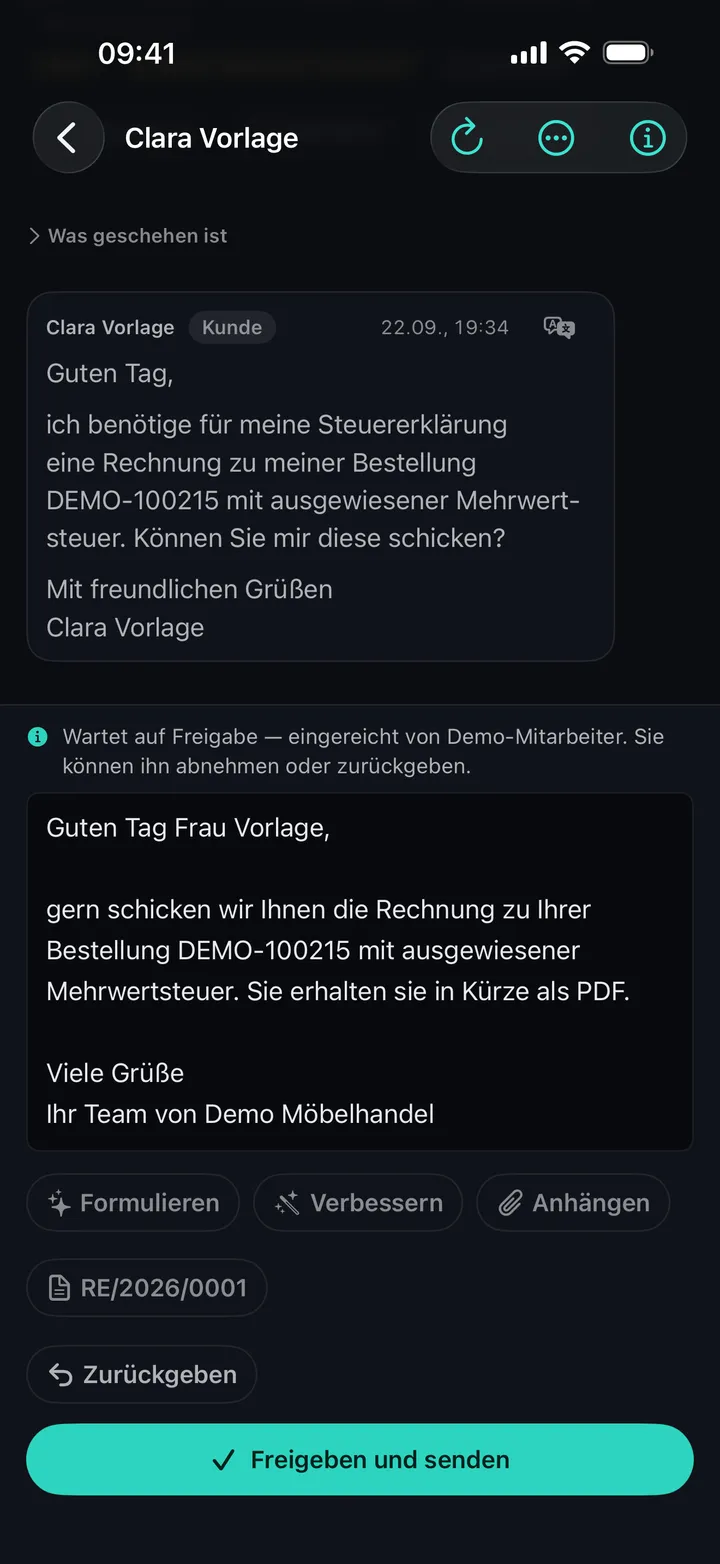
Staff draft, whoever holds the right approves. Nothing goes out that nobody has read.
Company knowledge
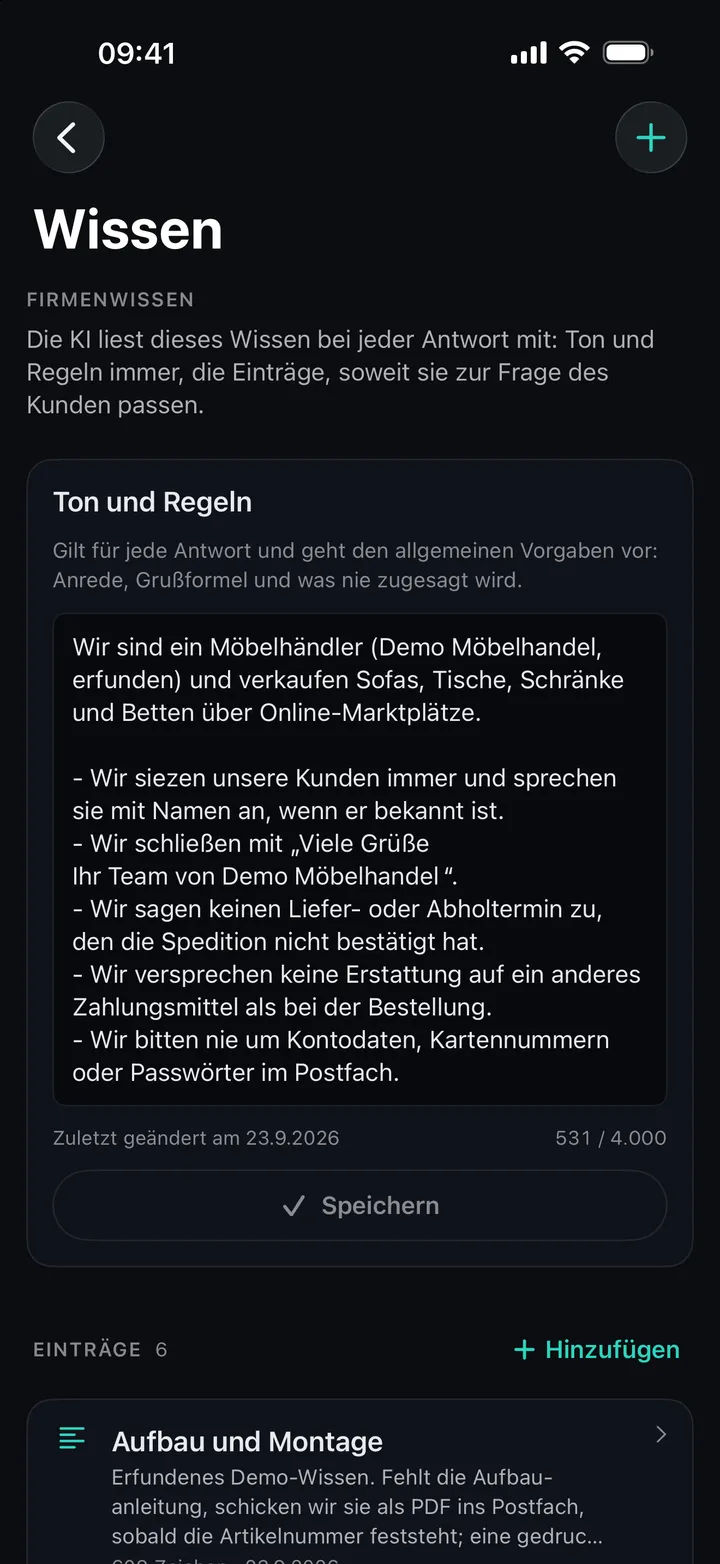
Tone and rules, entries on returns, shipping and assembly, written yourself or imported from a PDF. The AI reads it with every reply.
Order data from Odoo
Order, items and delivery right next to the conversation, once Odoo is connected.
Images for customers
An assembly sketch or a detail for the reply, made with The Vision.
Team and permissions
Invite colleagues and decide who may draft, approve and send.
In the app
Notifications for new messages and pending approvals, locked with Face ID. Comes with the app for iPhone and iPad.
SoonWhat it looks like
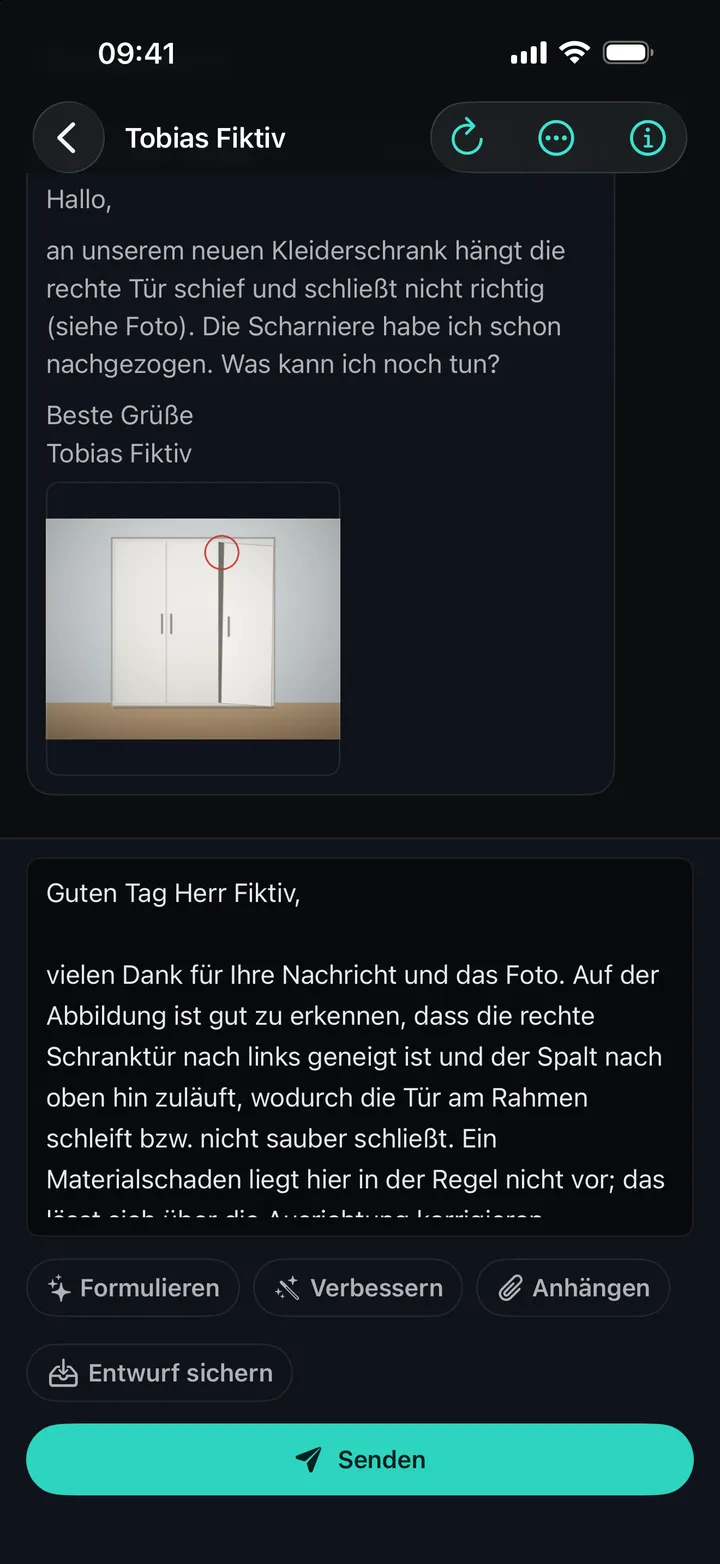
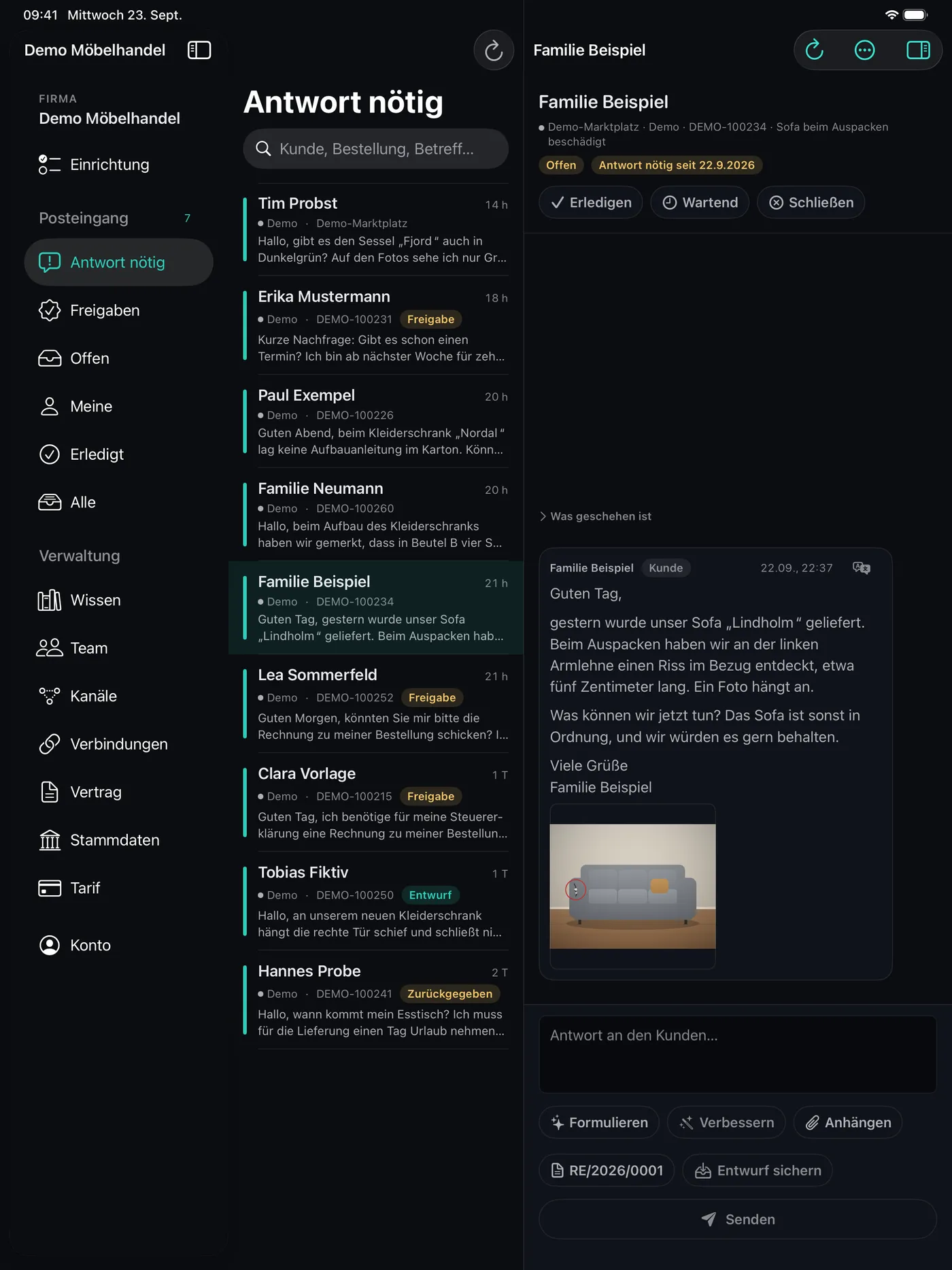
On the iPad, the iPhone and in the browser.
Screenshots from the German version of the app, with invented demo data.
How it works
Three steps, and a person has the last word.
- 01
Connect
Connect a marketplace or mailbox, then add your tone, your rules and what customers ask about, written yourself or from a PDF.
- 02
Draft
A message arrives with its order. One tap on “Draft” and the AI writes a reply from your company knowledge, translated if needed.
- 03
Check and send
You read it, change what you like and send it, or pass it on for approval. The AI never sends anything on its own.
Privacy
Your customers’ data, handled with care.
- Application and database run in London, United Kingdom.
- The AI runs on Google Gemini through the paid API. Google does not train models on your data.
- You accept the data processing agreement in the app before you connect your first channel.
- A person sends every reply. The AI only drafts.
Pricing
The same plans as everywhere at inomerce.
Only AI actions cost credits: drafting, improving, translating, images. The balance works in every inomerce app.
0 €forever
250 credits once to start
9.99 €/mo
1,000 credits / month
29.99 €/mo
3,500 credits / month
99.99 €/mo
12,000 credits / month
All prices incl. VAT. In the app for iPhone and iPad you subscribe through the App Store, on the web through your inomerce account.
Mirakl marketplaces, OTTO Market, the Amazon buyer mailbox through the relay address, and any mailbox over IMAP and SMTP. Ino Reply fetches order data from Odoo once you connect it. Missing a marketplace? Write to us.
No. The AI drafts, improves and translates, and nothing is sent until a person taps “Send”. The approval chain goes one step further: staff draft, and whoever holds the right approves.
The account is free and comes with 250 credits once to start. Only AI actions cost credits: drafting, improving, translating, images. Reading and sending messages costs nothing. For more, the same plans apply as everywhere at inomerce: Starter 9.99 €, Pro 29.99 €, Business 99.99 € a month, VAT included. The balance works in every inomerce app.
If you subscribed in the app through the App Store, cancel in your Apple ID settings under “Subscriptions”. If you subscribed on the web, cancel under “Manage plan” in your inomerce account. Deleting your account does not end an App Store subscription.
You stay the controller, we process it on your behalf: you accept the data processing agreement in the app before you connect your first channel. The data is stored in London. For drafts, translations and images only the content needed goes to Google Gemini, through the paid API and without training, and the app asks for your consent first.
Ino Reply
Try it with your own inbox.
Open Ino Reply in the browser, create your company and connect your first channel.